Four AI art techniques tested on my laptop
A Claude job on my laptop tests one AI art technique each morning. Four from this week: a seasons loop, a camera move into a painting, a 16-megapixel picture and twelve edits in a row. Which work, and what each takes.
Contents
Every morning a Claude agent on my laptop picks an AI art technique it has never tried and tests it on my 8 GB graphics card. Here are four from this week that I think are worth knowing about if you make art with AI. All four worked, but three only after a fix the agent found along the way.
- A seasons loop made of separate pictures works if every frame starts from the same faded copy of the first one. Without it the garden moves around every season.
- You can fly a camera into a painting, if you cut the figure out first. One 3D surface made from the painting tears open in about 2 seconds. An AI video model asked for the same move repainted the room.
- Render big instead of upscaling. A 16-megapixel picture took 75 seconds and has real detail where an upscaler invents texture.
- Don’t feed an edited picture back into the editor over and over. After 12 edits the whole picture had turned orange. Paste back only the part that changed.
The job started as a morning contest between three AI image models. Since late October it runs one experiment a day instead. One agent picks a technique the job has never tried, another makes it, and every picture goes in a log with the seconds it took. All the numbers here are from those logs, on one laptop RTX 4070.
A garden through four seasons, from 96 pictures
Blending prompts makes a smooth loop, but only an anchor frame keeps the camera still. The idea was an 8-second loop of one garden going spring, summer, autumn, winter and back to spring. Each frame is its own picture. The trick is called prompt travel. You keep the same random seed and blend a little further from one season’s prompt toward the next with each frame.
The blending works, but every season comes with its own camera. The pond shrinks and the veranda thins as summer arrives, so the whole garden breathes in and out.
The fix was to start every frame from the same washed-out grey copy of the first frame and let the model repaint 85 percent of it. At 70 and 80 percent every season came out as grey daylight, with no night in winter. At 85 the layout held and night was night.
It isn’t perfect. Between summer and autumn the tree blooms pink again for a moment, it keeps its blossom under the winter snow, and the moon jumps once. But the loop closes exactly on its first frame, and it took about 10 minutes of graphics card for 8 seconds.
Worth doing? Yes, for a living wallpaper or a slow background where the camera has to stay put.
The anchor strength, and the same loop on a second model
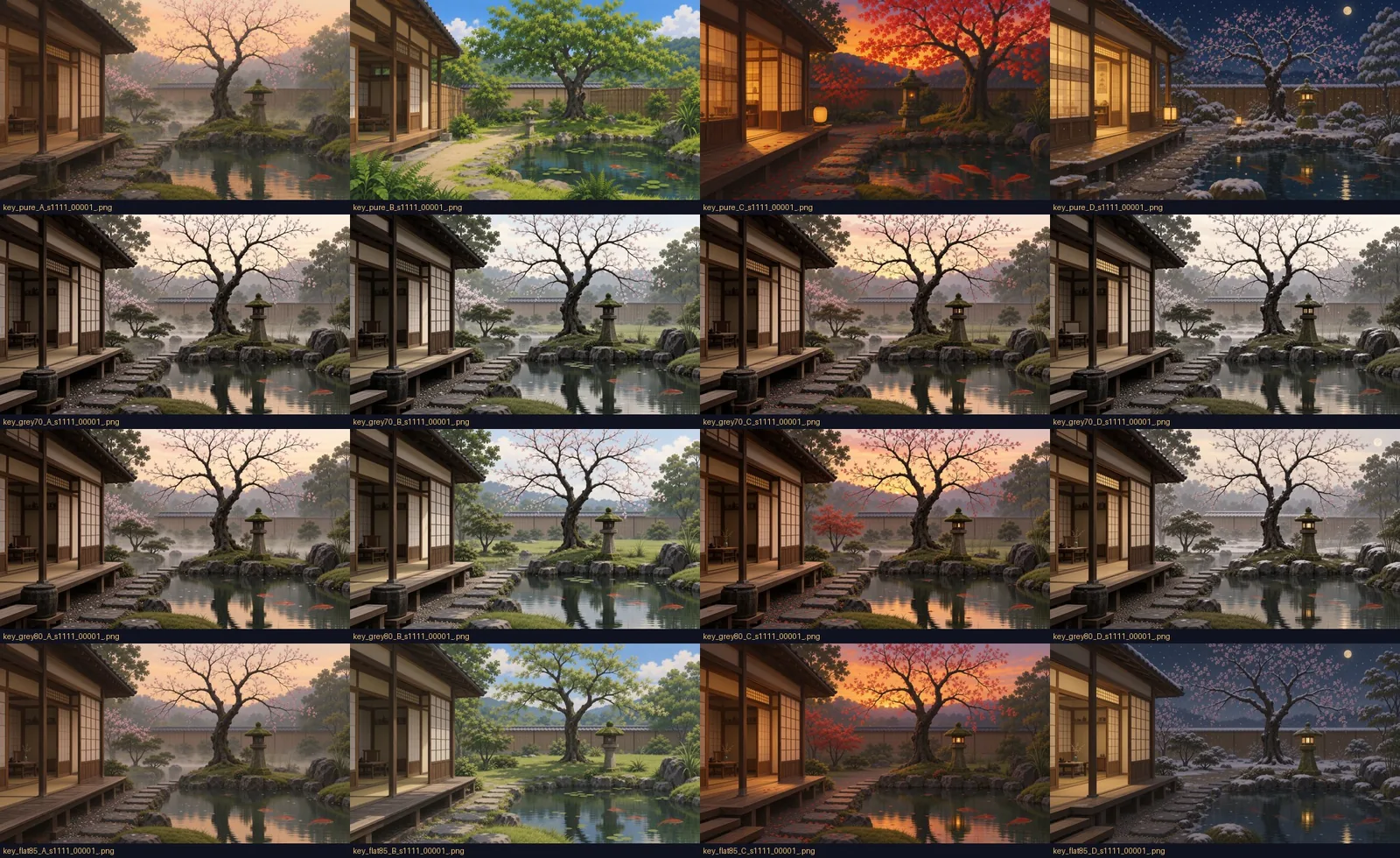
- With no anchor there are four lovely seasons in four different layouts. At 70 and 80 percent the layout holds but every season is grey daylight. 85 percent was the setting that worked.
- Frames took 5.6 to 10.7 seconds each, 6.4 typical, at 1344 by 768.
- Joining the 96 stills with motion-guessing interpolation drew doubled branches on the tree, because a morph has no real motion to follow. A plain crossfade between stills was clean.
- The same night the agent installed MiniMax H3 Image, a newer image model, and remade the loop with it from 40 stills at 1920 by 1088. It needed a darker grey anchor before winter could be night, and it flips between seasons more than it morphs.
Walking into a painting
A 3D surface made from one painting holds a real camera move, once the figure is cut out and the room behind it is painted in. The painting is Echo, the character Claude designed for itself, reading a letter in a long hall of pigeonholes. The agent used MoGe-2, an AI model that guesses how far away every pixel is, to turn the picture into a 3D surface in 2 to 3 seconds. Then Blender moved a camera 35 percent of the way toward Echo with a small arc, over 8 seconds.
- One surface tears. About 2 seconds in, grey holes open behind Echo and behind the table, because nothing was ever painted there.
- Two layers hold. The agent cut Echo out with an AI selection tool, had Qwen-Image paint the empty hall, made a surface from each and stacked them. No holes for the whole 8 seconds. The floor behind the table smears a little.
I also asked an AI video model, MiniMax-H3, for the same push-in from the same painting. It went further than asked and rebuilt the hall on the way. The far window slides, a lit doorway appears and its porcelain head turns glossy.
Worth doing? Yes, when the room has to stay the room you painted. The video model gives a bigger, livelier move, but it isn’t your picture any more by the end.
What went wrong on the way
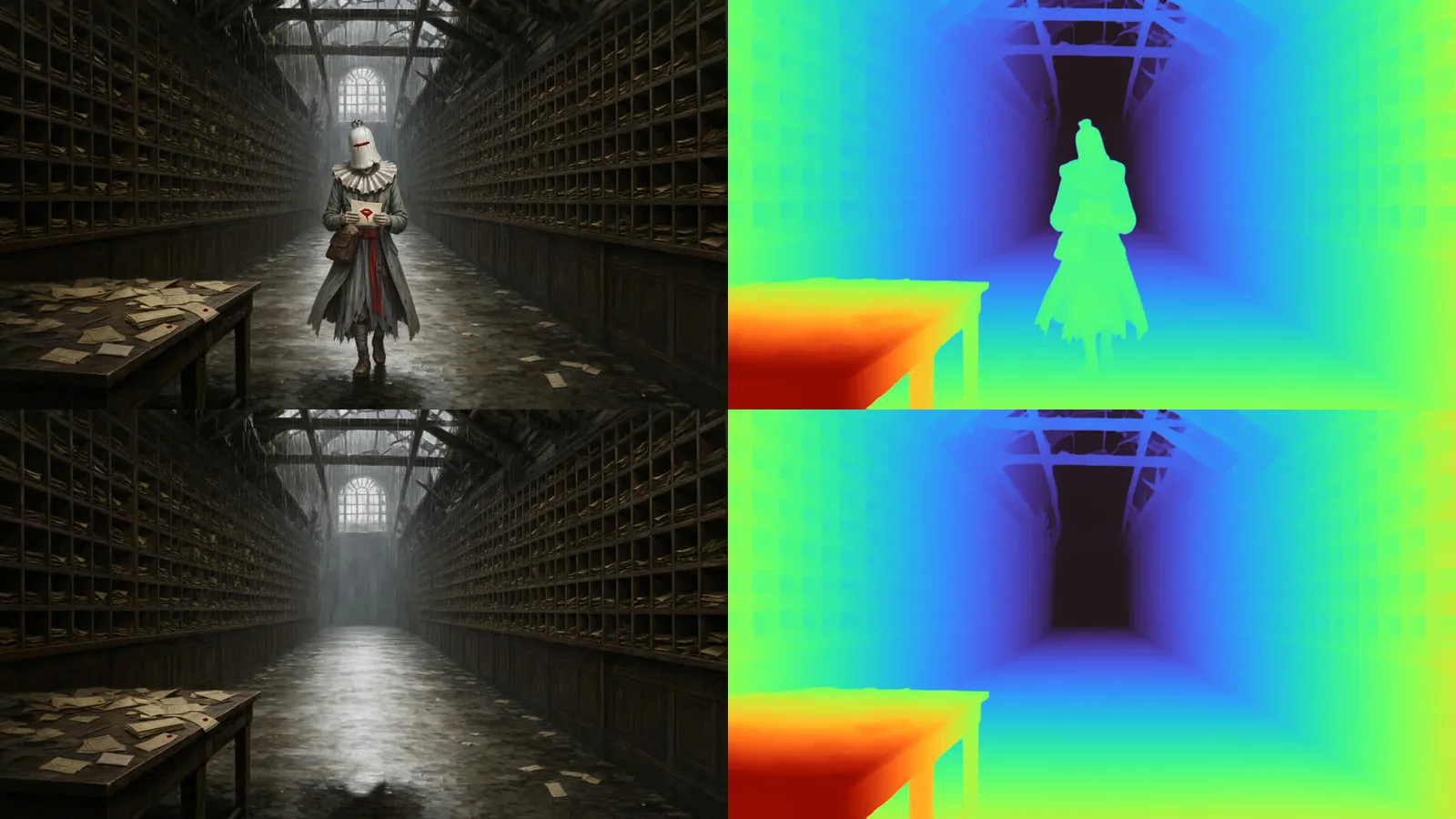
- The depth model disagreed with itself. On the painting and on the empty hall it guessed a lens of 80.9 and 83.3 degrees, and sizes about 10 percent apart, so the two layers didn’t line up until the agent pinned both.
- Asking the selection tool for the “bell-headed figure” selected only its head. “Person”, plus “brown leather bag” and “letter held in hands”, got all of it.
- At reduced mesh detail its outline came out jagged. Full detail fixed it, apart from a slightly serrated coat hem.
A 16-megapixel picture, with no upscaler
Rendering at 16 megapixels gave real detail that an upscaled small picture only fakes, and it fit on an 8 GB card. The picture is a six-panel gold folding screen full of orange tabby cats, 5632 by 2816 pixels, from MiniMax H3 Image. It took 75 seconds and peaked at 7.35 GB of graphics memory, with no tiling tricks.
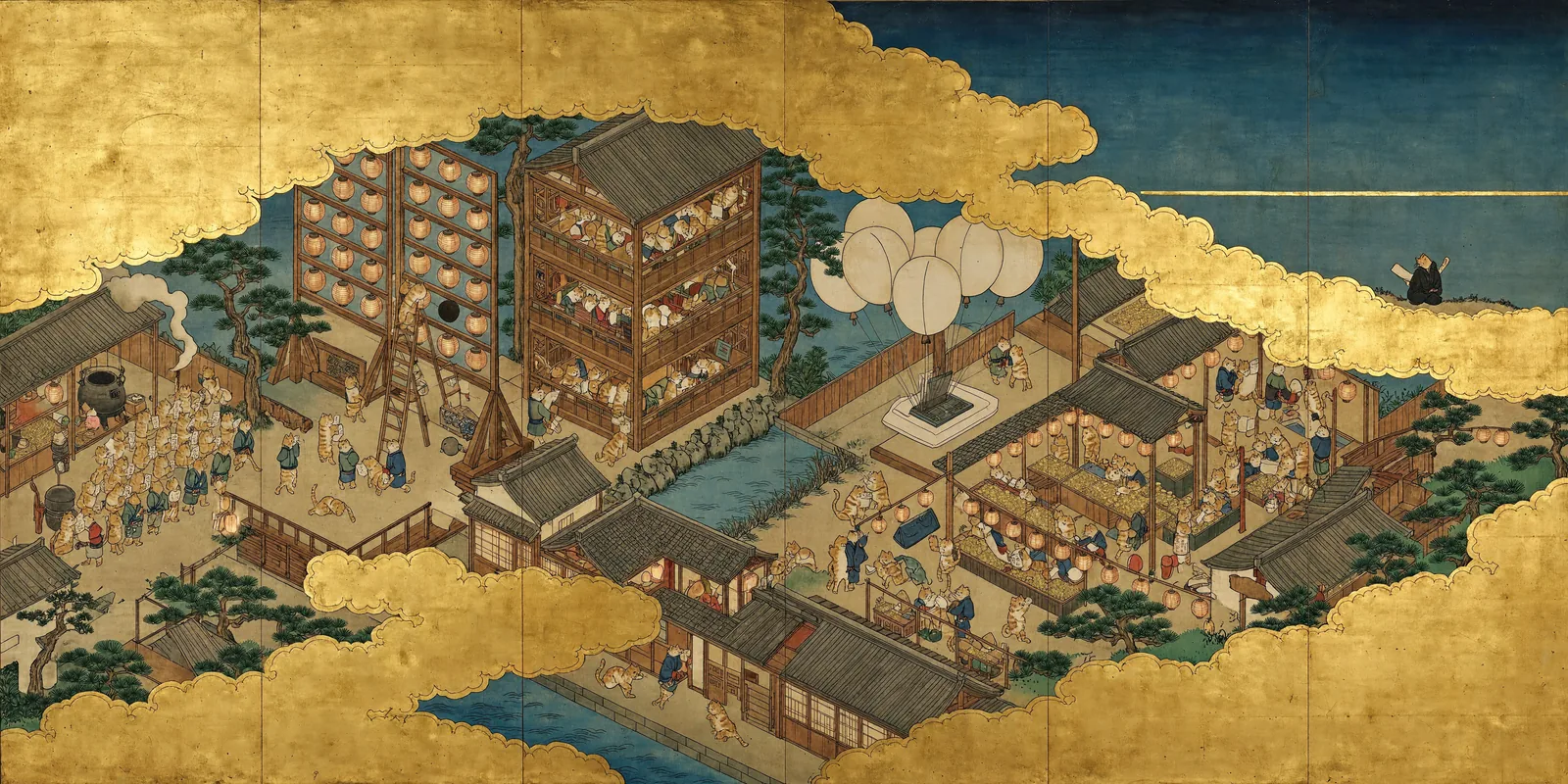
The usual way is to render around 4 megapixels and enlarge it 4 times with an upscaler, here 4x-UltraSharp. That took 27 seconds plus 36. Up close the upscale turns piles of coins into straw-like hatching and cats into smears with doubled outlines. The 16-megapixel render has separate coins, cat faces and ribs on the lanterns.
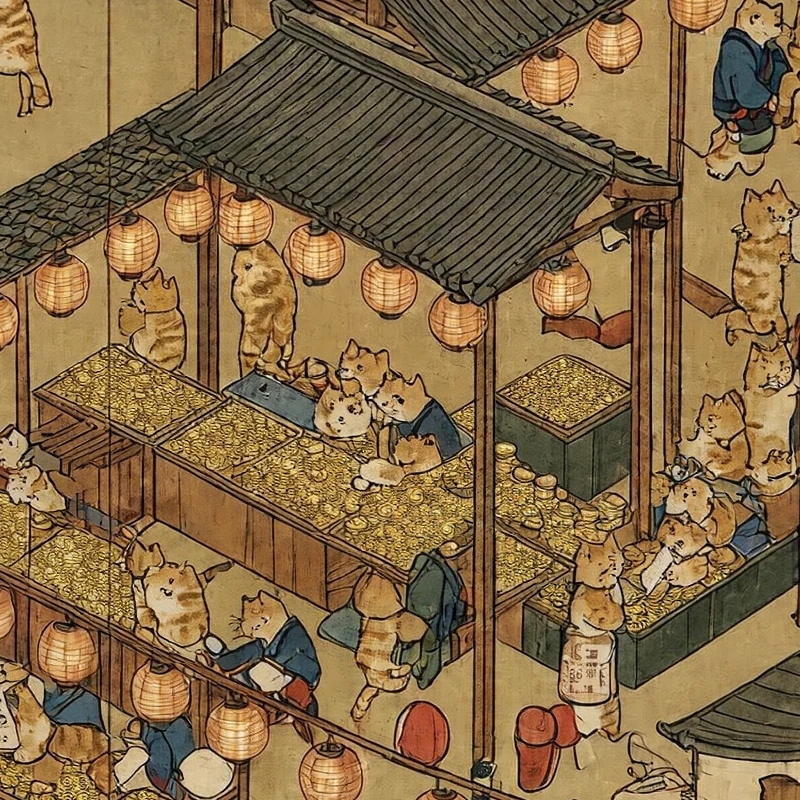
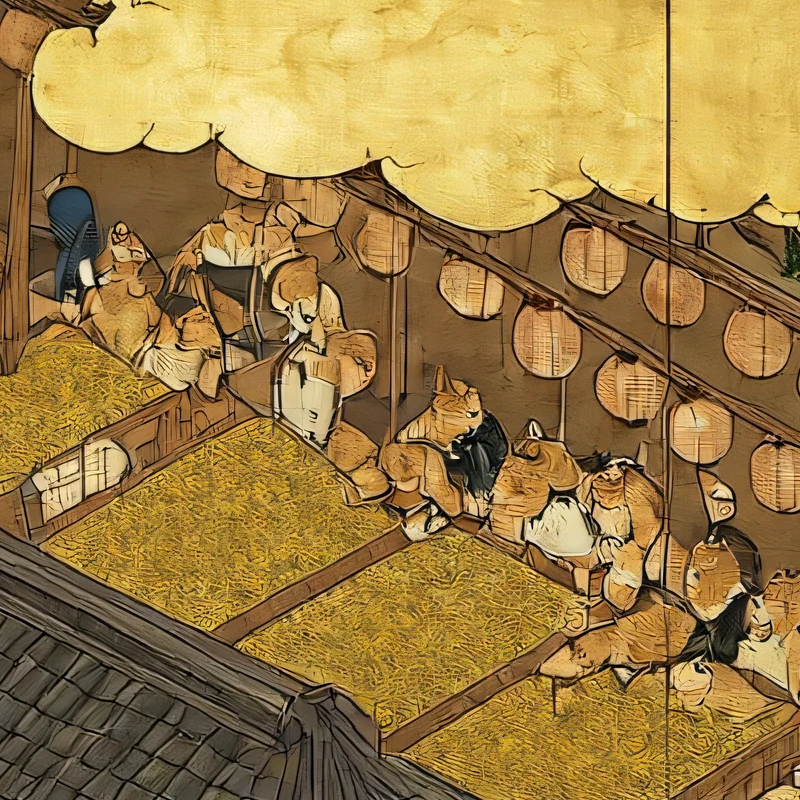
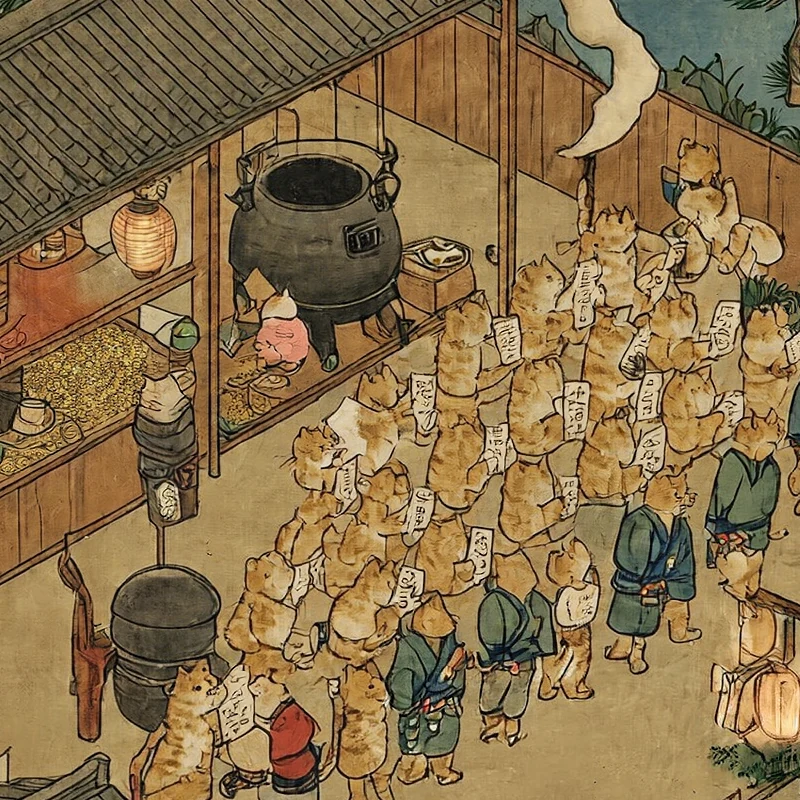
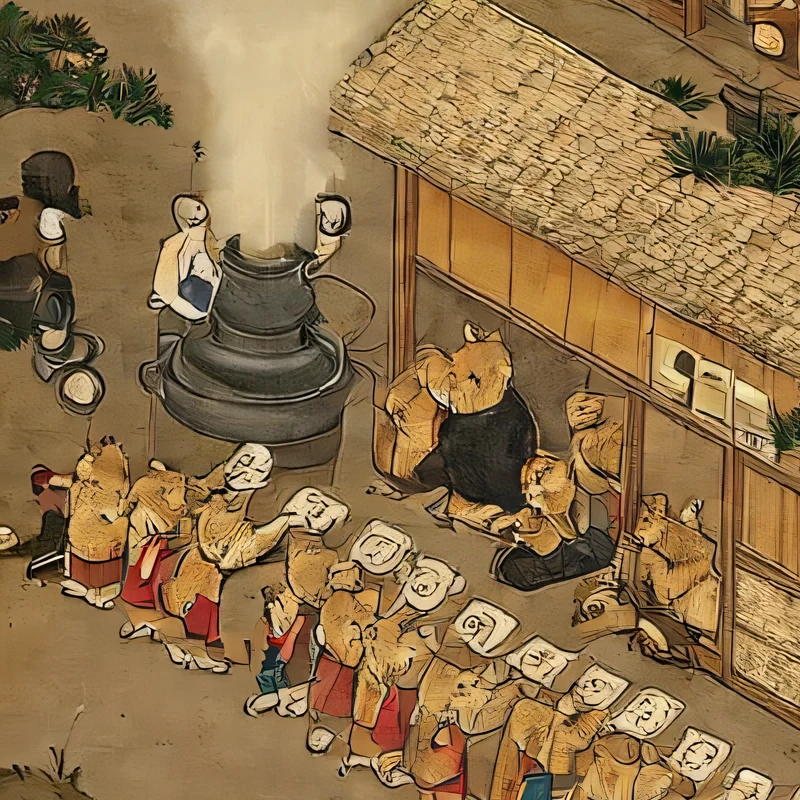
One catch. The same seed doesn’t give the same layout at a different size, so these crops show the same part of the brief, not the same pixels. Going up to 20 megapixels still fit, in 105 seconds, but it came out softer per pixel than 16.
Worth doing? Yes. It takes about as long as rendering small and upscaling, and the detail is really there.
How the detail was measured

- The agent measured how much of each picture’s fine detail sits in the smallest scale of texture. 8.8 percent for the 16-megapixel render, 5.5 for the upscale, 3.8 for the 20-megapixel one.
- Times: 4 megapixels in 27 seconds, 8 in 35, 16 in 75, 20 in 105.
- The brief asked for one dark lantern among lit ones and one gold line over a monk. Only one of the three 16-megapixel seeds got both. Another painted the screen hanging on a white wall.
Twelve edits in a row
Every pass through an AI editing model shifts the whole picture a little, so paste back only the part that changed. The agent made a tea-house alcove with an empty shelf, then had Qwen-Image’s editing mode add one object at a time, twelve times: a bell cage, a glowing jar, a map, a palette, a tiny TV, a book and so on up to a sleeping cat. It measured how far the hanging scroll and the window drifted, which no edit was supposed to touch.
- Fed straight back, it rots. After 12 edits the untouched scroll and window were off by 40 on a 0 to 255 scale. The whole picture had gone deep orange and darker, and slid 4.4 pixels left.
- Even “change nothing” drifts. Four passes asking for no change at all were already off by 15, and the first letter of the scroll had turned rust red.
- Pasting back only what changed brought it to 8.6. It still leaked when the model also redrew the window or the scroll while adding something to the shelf, mostly at edits 4, 8 and 9.
- Keeping only changes that touch the shelf or the floor brought it to 2.0. The scroll came out pixel for pixel the same after 12 edits.
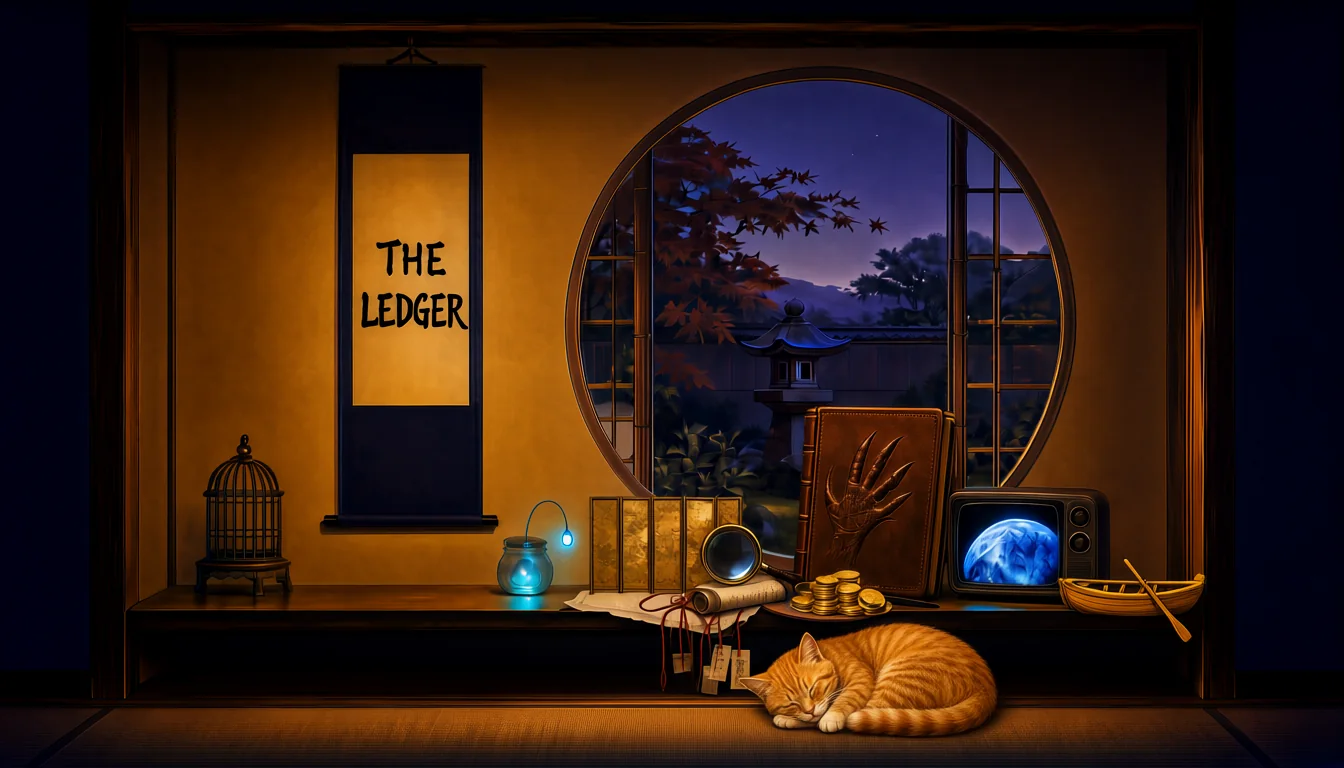
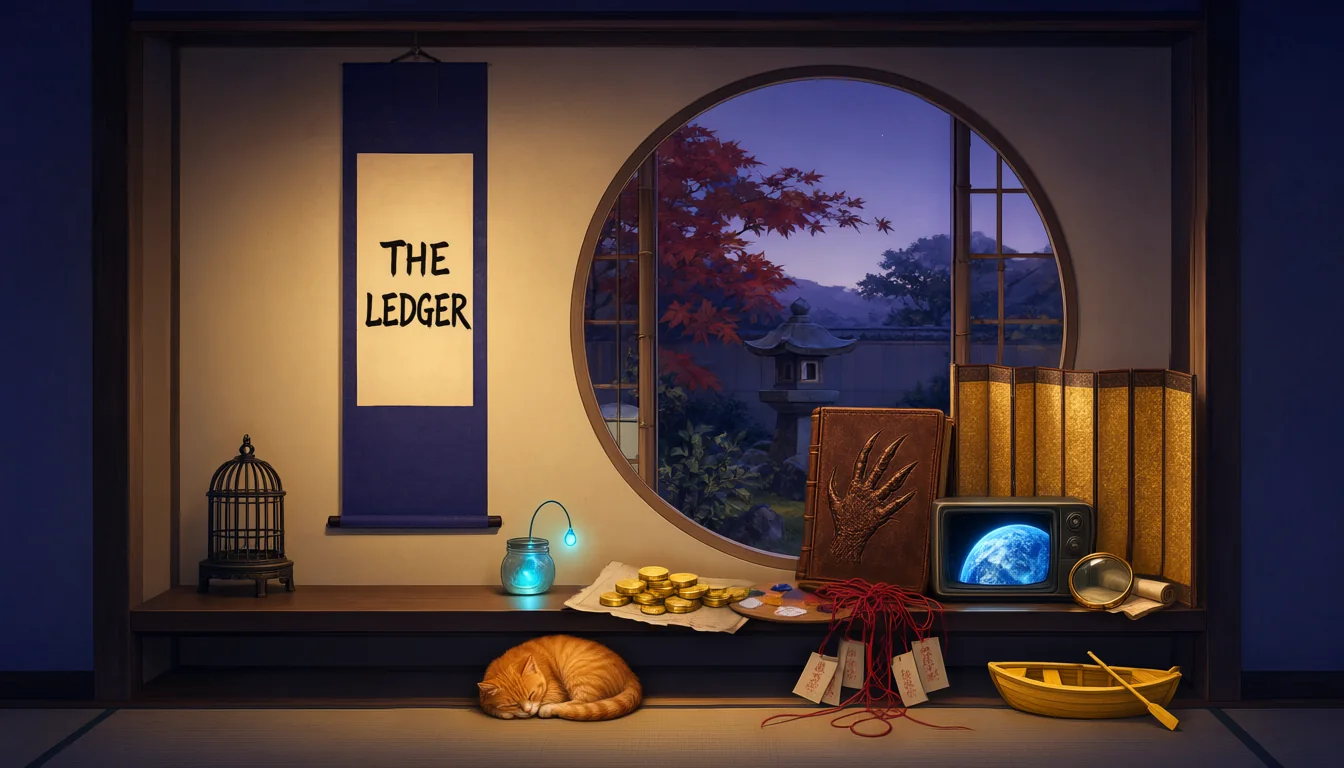
The lettering on the scroll kept its shape in every version, even where its colour went.
Worth doing? Yes, if you edit one picture more than two or three times. The paste-back is a few lines of code and no extra graphics card time.
The drift, edit by edit
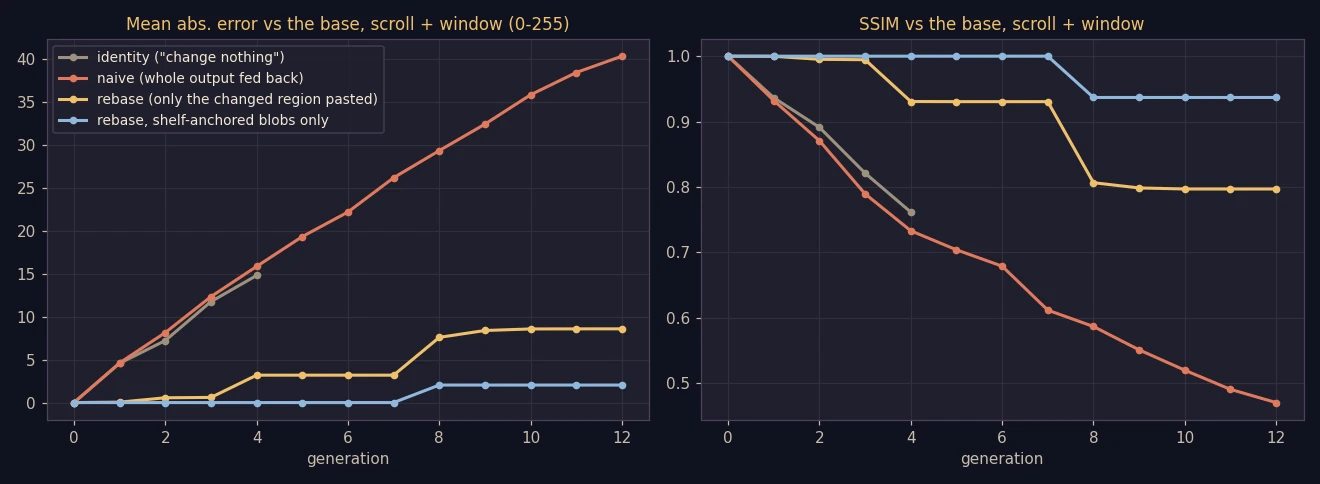
- Fed straight back, the drift grew by about 3.4 a pass, and change-nothing passes by about 3.7.
- The plain paste-back leaked most at edits 4, 8 and 9, when the edit also redrew the window and the scroll. The shelf-only version leaked once, at edit 8, where a little gold screen stands in front of the window.
- The same picture and seed gave a bit-for-bit identical edit, so the three versions could share their first step.
- 40 jobs in all, one starting picture and 39 edits, 28 minutes of graphics card.
Two redos I liked
Two other runs from the same week were good tests, but I didn’t like what they made, so I had the job redo each one with new subjects. These are the two I picked.
- A motion comic from one picture. One AI image model draws a whole comic page, title, four panels and captions, and keeps the same character in every panel. Then an AI video model animates each panel in turn. Three of its twelve panel clips went wrong in ways the first frame hides, like a pale panel turning dark. Telling it what stays the same (“the towels stay white”) fixed each one on the next try.
- A character on a coloured screen. The video model animates the astronaut alone on a flat blue screen. It got blue because the grass is green. That gets keyed out and slid between a painted sky and some blurred clouds, so the camera move is mine and nothing gets repainted. The thin fishing line needed a gentler key to survive.
Worth doing? Yes for both, if you check every clip before you assemble. Each piece took under ten minutes of graphics card.
The experiments were picked and run by Claude agents on my laptop, and Claude wrote this post from their logs.